Real Time Reporting Automation Software Pricing: What You Should Expect to Pay
Real-time reporting software quotes range from a few dollars per user to flat monthly fees. The gap between the cheapest and priciest plan often comes down to setup charges, training, and integrations that never appear on the pricing page. Teams on WhatsApp need to know which number is real before they commit.
This article breaks down what real-time reporting automation typically costs, how per-user pricing differs from flat-rate plans, and which hidden fees to watch for. It also covers Tasks.Bot's own monthly and annual pricing in ₹ and $, its beta status, and who should actually pay for it.
What Is Tasks.Bot? Real-Time Reporting Automation Explained
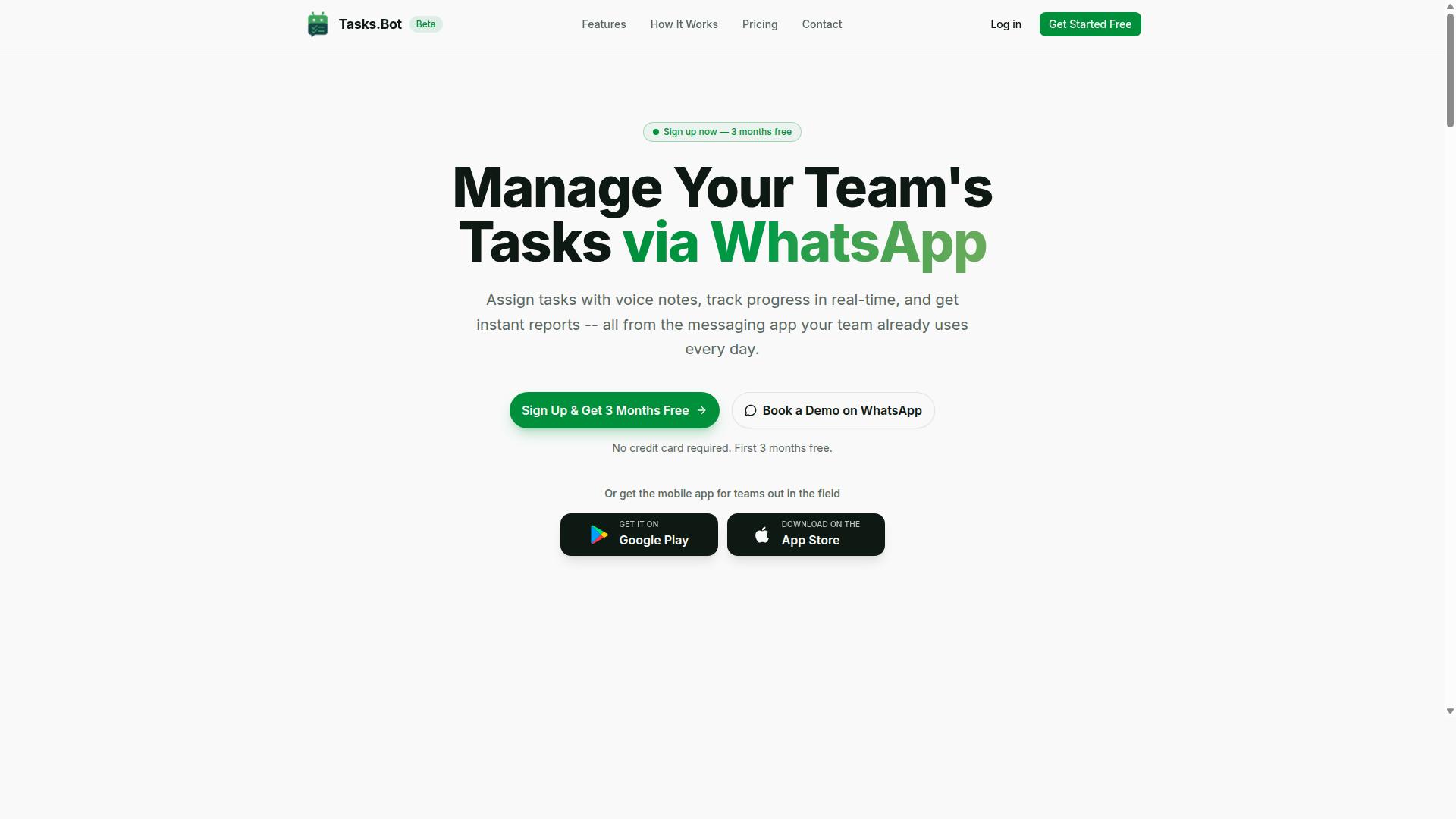
Tasks.Bot is a task management platform that delivers real-time reporting automation entirely through WhatsApp, eliminating the need for separate apps or dashboards. Instead of asking managers to log into a business intelligence tool and refresh a chart, the platform turns everyday task activity into reports that appear as part of the conversation.
Real-time reporting automation means the continuous collection, processing, and delivery of operational data without manual intervention. A traditional BI setup often requires someone to pull data, clean it, build a view, and schedule a refresh. Tasks.Bot removes those steps by capturing updates at the moment they happen.
The mechanism is messaging-native. Team members assign tasks, mark progress, and record attendance through WhatsApp, and the platform turns that activity into instant reports for managers.
This is a meaningful shift away from conventional BI tools. Dashboard automation and report scheduling usually assume a desk, a login, and some training. A WhatsApp-first approach assumes none of those things, which is why zero training and immediate visibility matter so much for teams that work on their feet.
Tool fatigue is the quiet cost of traditional reporting software. Every extra app is another password, another notification, and another place where data can go stale. Tasks.Bot keeps operational reporting inside the channel teams already check dozens of times a day, so visibility improves without adding another system to manage.
Who Tasks.Bot Serves: WhatsApp-First Teams and Field Staff
Tasks.Bot is built for teams that already run on WhatsApp, especially those with field staff who need to report progress, attendance, and hours without switching to a new app. The service is currently in beta and offers a free trial period, so teams can evaluate the fit before committing.
The audience is broad but specific in shape. It includes field service crews, sales teams on the road, delivery operations, and maintenance staff. What they share is a communication habit: WhatsApp is already where instructions, photos, and confirmations flow.
Because team members need no new accounts and no app installs, adoption friction stays low. Reports are generated within the chat itself, which means supervisors see status without chasing anyone. A mobile app is also available for field teams that want it.
Concrete scenarios show why this matters:
- A construction supervisor assigns tasks by voice note, and completion updates flow back into the same thread.
- A delivery manager tracks attendance and payroll-ready hours without a separate timekeeping system.
- A maintenance crew logs job status on site, giving managers live visibility instead of next-day summaries.
Hundreds of teams already use Tasks.Bot, and the platform is available globally. For organizations weighing real-time reporting automation software, that combination of a familiar channel, no installs, and reports delivered where work already happens is the core reason the platform fits WhatsApp-first operations.
What Real-Time Reporting Automation Software Typically Costs
Real-time reporting automation software pricing varies widely, from $10 to $100+ per user per month, depending on deployment, features, and support levels. Buyers rarely see a single number. Instead, they encounter a mix of subscription models, licensing fees, and implementation costs that shift with team size and technical needs.
Most vendors organize pricing into three familiar structures. Per-user monthly subscriptions usually land between $15 and $50 per user. Flat-rate team plans often range from $200 to $1,000 per month for a defined user cap, commonly around 20 seats. Enterprise custom quotes apply when organizations need advanced governance, security reviews, or high-volume data processing.
Deployment choice also moves the number. Cloud-based deployment typically bundles hosting, updates, and uptime management into the subscription. On-premise deployment shifts infrastructure to the buyer, and that setup often adds 20% to 50% to total cost of ownership once servers, maintenance, and IT labor are counted.
Watch for add-ons too. Many vendors charge separately for API access, premium data connectors, and enhanced support tiers. Well-known business intelligence platforms like Tableau, Power BI, and Looker follow variations of these models, which is why two quotes for similar dashboard automation can differ by thousands of dollars per year.
Per-User Pricing vs. Flat-Rate Plans
Per-user pricing scales with team size but can become expensive as you add occasional users, while flat-rate plans offer predictable costs for larger teams. The right choice depends less on sticker price and more on how many people actually log in each day.
Per-user plans commonly run $10 to $50 per user per month. Their appeal is simple. You start small, pay only for named seats, and expand gradually as adoption grows. The downside appears later. Every occasional viewer, contractor, or seasonal staffer adds another line to the invoice, and costs can spike quickly during busy periods.
Flat-rate plans typically cover unlimited users or a set cap for $200 to $1,000 per month. Budgeting becomes easier, and internal adoption improves because nobody worries about burning a seat. Small teams, however, may overpay for capacity they never use.
A simple decision framework helps:
- Choose per-user if you have a small core team and many occasional viewers.
- Choose flat-rate if you have a large, stable team that logs in regularly.
- Revisit the model annually as headcount and usage patterns change.
Consider a concrete example. A 50-person field team on per-user pricing at $20 per user costs $1,000 per month. A flat-rate plan covering the same group might be $500 per month. The math favors flat-rate once regular usage crosses a certain threshold.
Hidden Costs to Watch For: Setup, Training, and Integrations
Beyond the subscription fee, real-time reporting automation software often carries hidden costs for setup, training, and integrating with existing systems. These charges rarely appear in the headline price, yet they can reshape the annual budget.
Implementation and setup fees are usually one-time and often equal 10% to 25% of the annual contract. Training may be billed per session or as an annual package, commonly $500 to $5,000 depending on depth and audience size. API integration and data connectors frequently carry per-connector fees of $100 to $1,000 per month, especially for live data feeds and streaming analytics sources.
Two more line items deserve attention. Data storage overages appear once report scheduling and dashboard automation generate more historical records than the base plan allows. Premium support typically adds 15% to 25% of the license fee for faster response times and dedicated contacts.
These items compound. A $500 monthly subscription can easily become $800 per month once integrations and support are included. Before signing, ask for a full total cost of ownership breakdown and negotiate setup fees, which are often more flexible than subscription rates.
A short checklist helps frame the conversation:
- What is included in implementation, and what is billed separately?
- How many data connectors come standard, and what do extras cost?
- Is training included for new hires after year one?
- What triggers storage overage charges?
- What does premium support cost as a percentage of license?
Getting these answers in writing prevents surprise invoices and makes year-over-year comparisons between tiered plans far more accurate.
Tasks.Bot Pricing: What You Actually Pay
Tasks.Bot keeps its pricing model refreshingly simple. Instead of juggling multiple tiers, add-ons, or feature gates, the platform offers a single Full Access plan with everything included. There is no "basic vs pro" decision to make and no surprise upgrade prompts halfway through a project.
Pricing is listed in both Indian Rupees (₹) and US Dollars ($), and the site includes a currency selector so you can confirm which one applies to your account before you commit. That transparency matters in a category where real-time reporting automation software pricing often hides behind "contact sales" forms.
This is a per-member pricing structure. Each person who needs access counts as one member, so your total cost scales directly with team size. For a small team, that keeps the entry point low. For a growing team, it means the bill grows in a predictable, linear way rather than jumping between tiers.
One practical detail to keep in mind: Tasks.Bot is currently in beta. Early-stage pricing can shift as a product matures, so treat current rates as today's numbers rather than a permanent guarantee. The exact figures, the annual discount, and the introductory offer are broken down below.
Monthly and Annual Plans in ₹ and $ - Plus 3 Months Free
Tasks.Bot's monthly plan costs ₹200 per member per month, while the annual plan is ₹1,200 per member per year.
The math behind that claim is straightforward. Twelve months at the monthly rate would total ₹2,400 per member. The annual plan charges ₹1,200, which is exactly six months' worth of cost for a full year of access. In other words, you pay for half the year and get all twelve months.
Because pricing is per member, the totals scale cleanly with team size. Here is how it looks for a few common scenarios:
- 1 member: ₹200/month or ₹1,200/year
- 5 members: ₹1,000/month or ₹6,000/year
- 10 members: ₹2,000/month or ₹12,000/year
Both the monthly and annual plans include all features. There is no reduced-function version of the monthly plan and no premium tier reserved for annual subscribers. The only difference between the two is billing frequency and the resulting discount.
New users also get 3 months free, with no credit card required and the option to cancel anytime. Combined with the annual discount, that gives teams a low-risk way to evaluate whether the platform fits their reporting workflow before committing budget.
Pricing is published in both Indian Rupees and US Dollars, which makes the platform accessible to teams outside India without a currency conversion guess. If you are budgeting for real-time reporting automation software, verify the active currency on the pricing page, since exchange-rate conversions shown here are approximate.
Key Features Included at Tasks.Bot's Price Point
Despite its low price, Tasks.Bot includes a robust set of features for task management, reporting, and field operations, all accessible via WhatsApp. This matters in a market where real-time reporting automation software often charges per user, per module, or per tier. Tasks.Bot takes a different approach.
Everything sits inside a single Full Access plan. There are no feature gates, no add-on modules, and no premium tier holding the useful parts hostage. For teams comparing tiered plans from other vendors, that structure removes a common source of surprise costs.
The feature set covers the core of real-time reporting automation:
- Task creation by voice note, with AI understanding intent from natural language
- Automatic task assignment to the right team member
- Smart deadline reminders so nothing slips
- Approvals and automations for routine sign-offs
- Instant reports generated on request
- Face-verified attendance for accurate time tracking
- Shifts, leave, and hours management, including payroll-ready hours
- Tasks on a map and a live day tracker for field visibility
Team members do not need to install anything or create new accounts. The entire experience runs through WhatsApp, with Android and iOS apps available for push notifications, voice capture, and a home screen widget. Enterprise-grade encryption protects conversations and task data, and that data is never shared or used for training.
For buyers weighing subscription models, this is the key point. The capabilities that usually justify a higher tier, such as face-verified attendance or instant operational reporting, are simply part of the base price here. The next section breaks down the most distinctive of these features in detail.
Instant Reports, Voice Note Tasks, and Face-Verified Attendance
Tasks.Bot's standout features include instant reports generated on demand, task creation via voice notes, and face-verified attendance for field staff. Together they deliver real-time reporting automation without the overhead of traditional dashboards or BI tools.
Instant reports are generated on request within WhatsApp, covering task status, completion rates, and attendance. There is no dashboard to log into, no report scheduling to configure, and no data connector to maintain. For operational reporting, that removes an entire layer of setup and cost.
Voice note tasks let any team member create work by speaking. The AI understands the intent and creates the task. This lowers the barrier for staff who are on the move or not comfortable typing detailed updates.
Face-verified attendance lets field staff check in with a selfie. That gives managers accurate time tracking rather than relying on estimates or manual logs. Live GPS tracking supports the same goal, showing where field activity is happening during the day.
These three features are included in the base price, not reserved for an enterprise tier. For teams that need live data feeds and KPI tracking without dashboard automation overhead, they cover the essentials of real-time reporting. Tasks.Bot also offers a 3-month free trial with no credit card required, so the feature set can be evaluated against actual field conditions before any commitment.
How Tasks.Bot's Pricing Compares to Typical Market Rates
At ₹200 per member per month, Tasks.Bot undercuts most real-time reporting automation tools, which typically charge $15-$50 per user monthly. That gap is not a small discount. It is a 6x to 20x difference on the same line item in your budget.
Cloud-based reporting platforms usually sit at the lower end of that range for basic seats, while tools with dashboard automation and live data feeds push toward the upper end. Flat-rate team plans, common for SMB deployments, run roughly $200-$1,000 per month. Tasks.Bot's Full Access plan includes every feature at one flat per-member rate, so there are no feature gates to climb.
The math gets clearer with a concrete example. A 20-person team on Tasks.Bot pays ₹4,000 per month. The same team on a typical per-user tool at $15-$50 per seat would pay $300-$1,000 monthly. Over a year, that difference can fund an entire additional hire or a serious upgrade to your data stack.
| Plan Type | Typical Market Rate | Tasks.Bot Rate |
|---|---|---|
| Per user, monthly | $15-$50 | ₹200 |
| 20-person team, monthly | $300-$1,000 | ₹4,000 |
| Annual per member | Varies by vendor | ₹1,200 (save 50%) |
Feature bundling matters just as much as the headline number. Tasks.Bot includes capabilities like voice tasks and face-verified attendance in its Full Access plan. Competitors often treat similar functionality as add-ons, which inflates the effective cost well beyond the advertised seat price. When you compare total cost of ownership rather than list price, the spread widens further.
One honest caveat: Tasks.Bot is in beta and may lack some advanced BI features that mature enterprise platforms offer, such as deep custom reporting builders or embedded analytics for external clients. For teams that live in WhatsApp and need real-time task visibility, that trade-off rarely matters. The value is unmatched for that use case.
New users also get 3 months free with no credit card required, and can cancel anytime. That removes the usual procurement friction and lets a team validate the fit before committing budget. For SMB pricing, the combination of a low per-member rate, all-inclusive features, and a risk-free trial is hard to beat.
Trust Signals: Beta Status, Refund Policy, and Hundreds of Teams
Tasks.Bot is currently in beta, offers a refund policy, and is already used by hundreds of teams, providing both transparency and social proof. For buyers weighing real-time reporting automation software pricing, these signals matter as much as the subscription figure itself. They tell you how mature the product is, how much risk you carry, and whether other field teams have already validated it.
Beta status is the signal most worth understanding before you commit. It means the platform is still evolving, so features and interfaces may shift over time. That caveat cuts both ways, and it is better to know it upfront than to discover it later.
The upside is influence. Early adopters often get a direct line into the roadmap, and beta pricing is frequently lower than post-launch rates. If you are comparing tiered plans or user-based pricing, a beta-stage tool can deliver outsized value while the vendor works to win its first wave of customers.
Beta also tends to mean agile development and responsive support. Smaller teams ship changes quickly and answer questions personally. The trade-off is stability: documentation, integrations, and edge cases may not be as polished as a decade-old platform's, so plan a short evaluation window before rolling the tool out across every team.
A refund policy appears in the footer of the site, which points to a risk-free trial period. That is a meaningful trust signal in a category where implementation costs and data connectors can make switching expensive. Still, always check the exact terms before you buy.
Read the fine print on:
- How many days you have to request a refund
- Whether the policy covers annual prepayment or only monthly billing
- Any conditions around usage limits or onboarding fees
Social proof is the third signal, and it is the most practical. Hundreds of teams already use Tasks.Bot, which suggests the tool holds up for real field teams rather than only in demos. For a buyer, that is evidence the product survives daily operational reporting, not just a controlled pilot.
If you want to evaluate before spending anything, the site offers a Book a Demo on WhatsApp option. It is a low-commitment way to see the platform, ask about pricing, and judge whether the beta stage fits your timeline. You get answers without a sales funnel or a procurement cycle.
Weigh the beta caveat against the benefits honestly. You are trading some polish for lower entry pricing, direct influence, and attentive support. For teams that value agility over a fully frozen feature set, that is a favorable exchange.
Put together, the signals point one way. A transparent beta label, a stated refund policy, hundreds of active teams, and an easy demo path are the marks of a legitimate, fast-moving product, not a risky gamble. Check the refund terms, book the demo, and judge the fit against your own reporting needs.
Who Should Pay for Tasks.Bot (and Who Shouldn't)
Tasks.Bot is ideal for small to mid-sized teams that rely on WhatsApp and need basic real-time reporting, but it may not suit enterprises requiring advanced BI or on-premise deployment. The decision comes down to one question: does your team already live in WhatsApp, and do you need simple, fast operational reporting rather than deep analytics? If the answer is yes, the pricing is easy to justify. If not, you will likely pay for capability you never use.
Tasks.Bot serves teams that use WhatsApp for communication, particularly those with field staff who need task management, attendance tracking, and payroll-ready hours. Hundreds of teams already use the service, and it works for remote teams anywhere in the world. That global reach matters for distributed operations where staff are not sitting at desks.
You should pay if your situation matches the profile below. These are the teams that get full value from the subscription from day one.
- Your team size sits between 5 and 100 members, where lightweight coordination beats heavy process.
- Field staff already use WhatsApp daily and resist adopting yet another app.
- You need task assignment, attendance tracking, and instant reports without a long rollout.
- You want payroll-ready hours collected as a byproduct of normal daily activity.
- Your team is remote or spread across locations and needs one shared view of work status.
- Your reporting needs are operational, not analytical. You want to know what happened today, not model scenarios for next quarter.
You shouldn't pay if your requirements point toward enterprise-grade infrastructure. In those cases, a specialized platform will serve you better, even at a higher cost.
- You are a large enterprise needing complex dashboards or custom reporting built to internal specifications.
- You require integration with legacy systems that demand heavy IT involvement.
- Your team does not use WhatsApp as a primary communication channel.
- You need advanced analytics, business intelligence tools, or data visualization beyond straightforward operational reporting.
- You require white-label reporting or embedded analytics under your own brand.
- You need on-premise deployment for regulatory or security reasons.
Notice that none of these disqualifiers reflect poorly on Tasks.Bot. They simply describe a different buyer. An enterprise with a dedicated data team and a legacy ERP has needs that a WhatsApp-first tool was never designed to meet, and forcing the fit would waste money on both sides.
For everyone else, the math is straightforward. If your team already coordinates through WhatsApp, Tasks.Bot removes the gap between work happening in the field and reports landing in a manager's hands. You are not buying analytics depth. You are buying speed, adoption, and payroll-ready records with almost no training overhead.
Run the two checklists above against your own team before you compare plans. If most of your answers land in the first list, Tasks.Bot is a strong fit and the subscription pays for itself in saved coordination time. If most land in the second, be honest about that and look at platforms built for heavier requirements. The right decision is the one that matches how your team actually works today.
Final Verdict: Is Tasks.Bot Worth the Price?
For WhatsApp-first teams with field staff, Tasks.Bot delivers exceptional value at ₹200 per member per month, making real-time reporting automation accessible and affordable. That single flat rate covers every feature the platform offers, so there are no separate licensing fees, module upgrades, or surprise charges to budget for.
Most real-time reporting automation software pricing models charge extra for premium capabilities. Tasks.Bot does not. The all-inclusive approach keeps your total cost predictable, which matters when you are comparing subscription models and trying to forecast annual spend.
Annual billing adds another layer of value. Choosing the yearly option gives you three months free, effectively lowering your per-member cost without changing what you get. For an SMB pricing budget, that kind of saving is meaningful and easy to justify.
What does that price actually buy? The platform focuses on the essentials that field and operational teams rely on every day:
- Instant reports that remove the delay between field activity and management visibility
- Voice tasks so staff can log work without typing lengthy updates
- Face-verified attendance to confirm that the right people are on site
These capabilities speak directly to dashboard automation and operational reporting needs. Instead of paying for a heavy BI suite with features your team will never open, you get the reporting layer that matches how WhatsApp-based teams actually work.
It is fair to note the limits. Tasks.Bot is in beta, and its business intelligence capabilities are basic compared with full-scale BI tools. Teams needing advanced data visualization, deep streaming analytics, or complex financial and compliance reporting may find it too simple.
For everyone else, the trade-off is sensible. Enterprises with advanced needs should look at heavier platforms. SMBs and field teams get the better deal here, because they pay less and use more of what they pay for.
So is it worth the price? For small and mid-sized businesses running field operations through WhatsApp, the answer is a clear yes. The combination of a low flat rate, no hidden fees, and a three-months-free annual option makes it one of the more honest pricing structures in this category.
If you want to see it in action before deciding, reach out to the team directly. Call +91 97143 42522 or email [email protected]. You can also book a demo on WhatsApp and get your questions answered before committing to a plan.
Frequently Asked Questions
How much does Tasks.Bot cost compared to other real time reporting automation software?
Tasks.Bot keeps pricing simple with a single 'Full Access' plan that includes all features - there are no tiers to compare or features locked behind upgrades. The monthly plan is ₹200 per member per month, and the annual plan is ₹1,200 per year per member, which saves 50% versus paying monthly. Pricing is available in both Indian Rupees and US Dollars, so you can estimate your cost based on team size before committing.
Is there a free trial or demo available before I pay?
Tasks.Bot is currently in beta and offers a 'Book a Demo on WhatsApp' option, so you can see how task assignment, reporting, and automations work before deciding on a plan. Because the service runs entirely inside WhatsApp, the demo experience closely mirrors what your team would use day to day. Reach out via [email protected] or +91 97143 42522 to get started.
Do I pay per team member, and what happens as my team grows?
Yes - Tasks.Bot pricing is per member, so your cost scales directly with the number of people on your team. At ₹200 per member per month (or ₹1,200 per member per year on the annual plan), you can calculate your total by multiplying the per-member rate by your team size. This makes it easy to start with a small group and add members as needed.
What features are included in the price?
The 'Full Access' plan includes all Tasks.Bot features - nothing is held back for a higher tier. That covers task management via WhatsApp, voice note task creation, automatic task assignment, smart deadline reminders, approvals and automations, instant reports, tasks on a map, live day tracking, and face-verified attendance. The platform also offers a mobile app for field teams, so field staff can be included at the same per-member rate.
Are there hidden costs, setup fees, or charges for extra users?
Based on Tasks.Bot's published pricing, there is one 'Full Access' plan covering all features, priced per member - no separate setup or add-on feature fees are listed. Since team members use the service through WhatsApp, they don't need to install anything or create new accounts, which avoids extra onboarding or per-seat software costs. For any billing specifics, confirm directly with the team at [email protected].
Is Tasks.Bot available in my country, and can I get a refund if it isn't right for my team?
Tasks.Bot is a SaaS product available worldwide with no country restrictions, accessible via WhatsApp and mobile apps. It's designed for teams that already communicate on WhatsApp, especially those with field staff who need task management, attendance tracking, and payroll-ready hours. A refund policy is mentioned in the site footer, so review those terms or contact [email protected] before purchasing if that matters to you.
Recommended Resources: